A calorie diary built on government food tables.
Log meals, track calories and macros, and find the foods you cook with. Macro Tracker searches your country's food table first and shows the source beside each result.
Thirteen national food composition tables and over half a million packaged foods come with the app. Your diary and food search work offline.
Open Food Facts was the main inspiration for Macro Tracker.
The numbers
- 562,272foods, on the device
- 41,840from national food tables
- 13countries with their own table
The food database ships inside the app. Search works on a plane, in a basement, on a train through a tunnel.
Your country's food, first
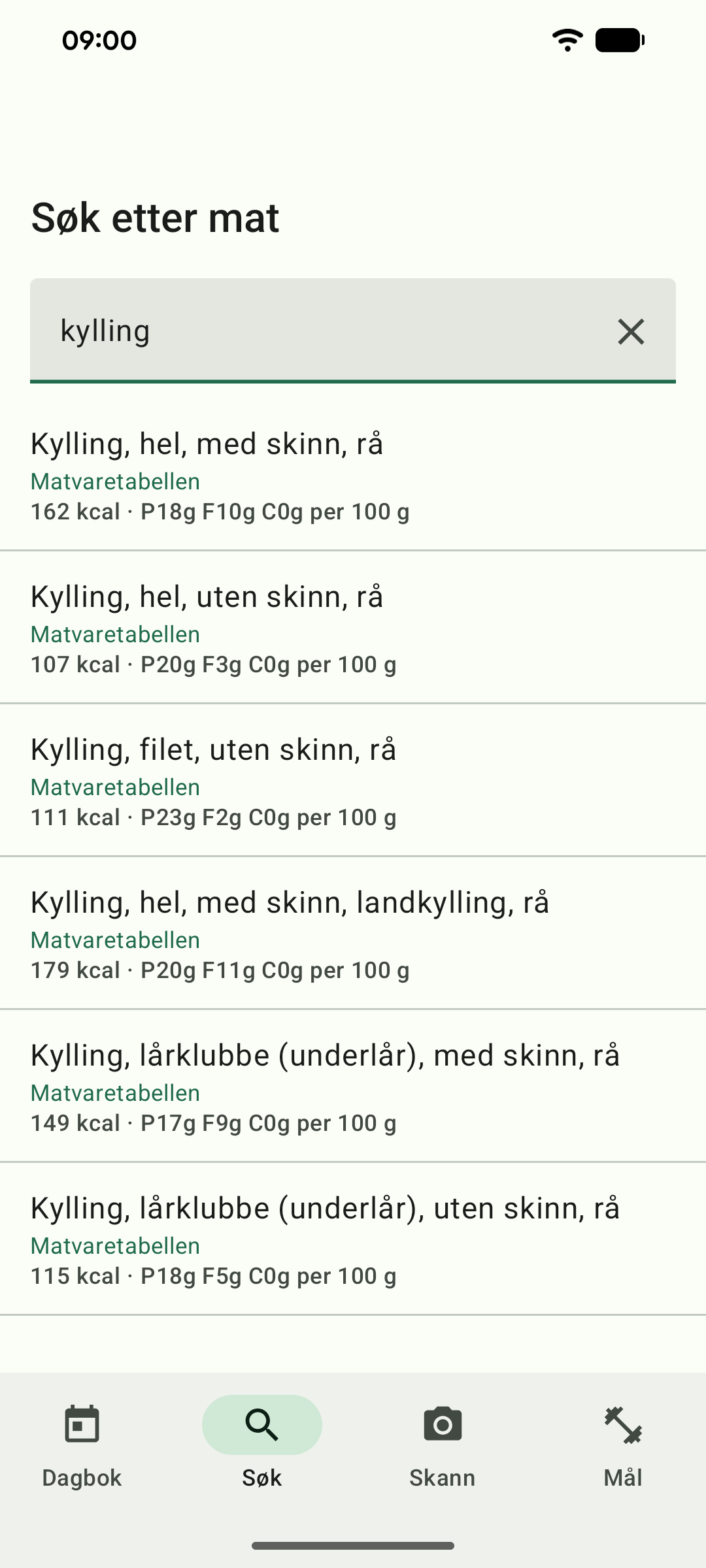
National food composition tables are published by government institutes. They are small, laboratory-measured, and they are what dietitians in each country actually work from. Thirteen of them are in the app.
- AustraliaAFCD
- CanadaCanadian Nutrient File
- DenmarkFrida
- FinlandFineli
- FranceANSES-Ciqual
- GermanyBLS
- NorwayMatvaretabellen
- PortugalTCA
- SpainBEDCA
- SwedenLivsmedelsdatabasen
- SwitzerlandSwiss Food Composition Database
- United KingdomCoFID
- United StatesUSDA FoodData Central
The app picks yours on first launch from your device's region, and you can change it in Settings. Results from your own table come first, in your own language, under the names your shops use. Where your table doesn't have something ordinary, the app borrows from another table that shares your language rather than leaving you with nothing.
Open Food Facts
Open Food Facts was the main inspiration for Macro Tracker. Its contributors make food-label information available to everyone. The app includes over half a million products from their database, and you can contribute missing products from the scanner.
Open Food Facts is a volunteer project, and the app is built to give back to it. If you scan something it doesn't have, you can type in what's on the label and choose to publish it, so the next person who scans that barcode finds it. Contributions are off by default and each product must be approved before it is sent.
Contains information from Open Food Facts, made available under the Open Database License (ODbL).
What it does
Log by weight, by volume, or by a named portion the food already carries. Set daily targets or let the app work them out from your height, weight and activity, and update them as your weight changes. Export the lot to CSV whenever you want, because it's your diary.
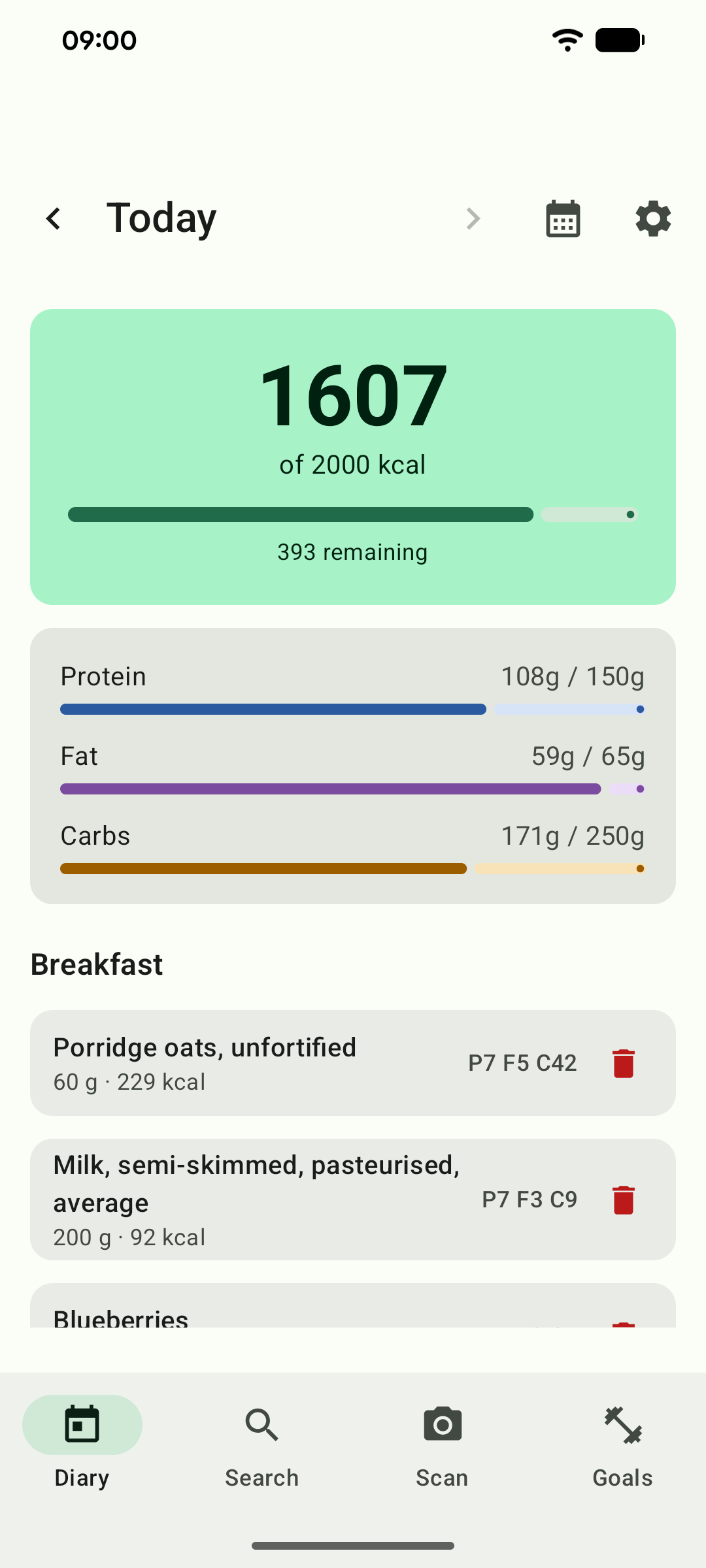
- Diary by day, with protein, fat and carbohydrate against your targets
- Barcode scanning, offline
- Your own foods, which always rank above anything bundled
- Eight languages, with food names in your own where the table has them
- Dark theme, following your system setting
- Readable labels and figures, with text size following your system setting
- CSV export, of everything you have logged
Free to use
Install it and start your diary. Every feature is included, and your entries stay on your phone. You can export them to CSV whenever you want.
I built Macro Tracker because I wanted a food diary that used the tables published in each country. The source code and the Open Food Facts data are available on GitHub.
Privacy policy
Last updated 30 September 2026
Your diary stays on your phone. Barcode scanning uses Google's ML Kit, which sends diagnostic and usage data to Google. Online barcode lookup and product contribution are separate Open Food Facts features that you can enable in Settings. Their data use is explained below.
Your diary
Everything you log is written to a database in the app's private storage. Android's automatic backup is switched off for this app, so your diary is not copied to Google Drive. Uninstalling deletes it.
What Google Play collects
We don't have an account system. Lethio operates one small server-side relay for product contributions, described below. Google Play also processes information when you install the app. Google records install counts, device models, Android versions and crash reports, and shows them to us as aggregated, anonymised figures. We use them to see whether the app is broken on a device we don't own. We can't connect any of it to you, and this happens for every app on Play whether or not it has any code of its own to do it.
Barcode scanning
The scanner processes camera frames on your phone. Its Google ML Kit SDK sends Google app and device information, a per-installation identifier, performance measurements and scanner events for diagnostics and usage analytics. Google encrypts this traffic and says it is not shared with third parties. See Google's disclosure.
The barcode lookup
If you turn this on and tap the button that appears when a scan finds nothing locally, the app asks Open Food Facts about that single barcode. The request contains the barcode and a line identifying the app by name, version and our support address. It carries no identifier for you or your device. As with any request to any website, Open Food Facts can see the IP address it came from, and we have no way to prevent that.
Contributing a product
If you turn this on, and Open Food Facts has confirmed it doesn't have the barcode, an unticked checkbox appears on the Add product screen offering to publish it. Nothing is sent unless you tick that box before saving.
When you do, the app sends the barcode, product name, brand and four per-100g nutrition values you entered to a small relay operated by Lethio. The relay checks the request and passes it to Open Food Facts using the app's shared contributor account. It cannot access your diary, and nothing else from your phone is included.
The contribution passes through a small Lethio relay. While forwarding it, the relay receives your IP address, the product data and a pseudonymous installation identifier. It keeps none of them: there is no user or submission database, and contribution details are excluded from both access logs and application logs.
To prevent flooding without building a record of people or products, the relay keeps only a short-lived request count for each IP address in memory. Those counts disappear when the service restarts. Our hosting provider carries the connection, and Open Food Facts receives and stores the public contribution under its own policies.
The installation identifier is derived from a random value created on your phone the first time you contribute. Only its salted hash is sent. It remains the same until you clear the app's data or uninstall it, allowing Open Food Facts moderators to distinguish one installation from the app's other contributors. It is never attached to barcode lookups or used for anything else.
Contributions become public Open Food Facts data and may remain in its history after later edits. Clearing the app's data does not remove a contribution already published. The app does not upload photographs.
The camera
The app uses the camera to read barcodes and does not store its frames. Camera permission is optional; you can search and log food without it.
Your country
On first launch the app reads the region set on your device, to preselect a sensible food table. Where your SIM card reports a different country, the app asks you to choose rather than guessing. Both values are read on the device, need no permission, and are not sent anywhere. You can change the choice at any time in Settings.
Exporting
Exporting writes a CSV file and hands it to whichever app you choose to send it to. From that point what happens to the file is up to you and to that app.
Children
The app is intended for adults.
Changes
Changes to the app's data use will be described here, with the date of the revision.