The calorie counter that reads your country's food table.
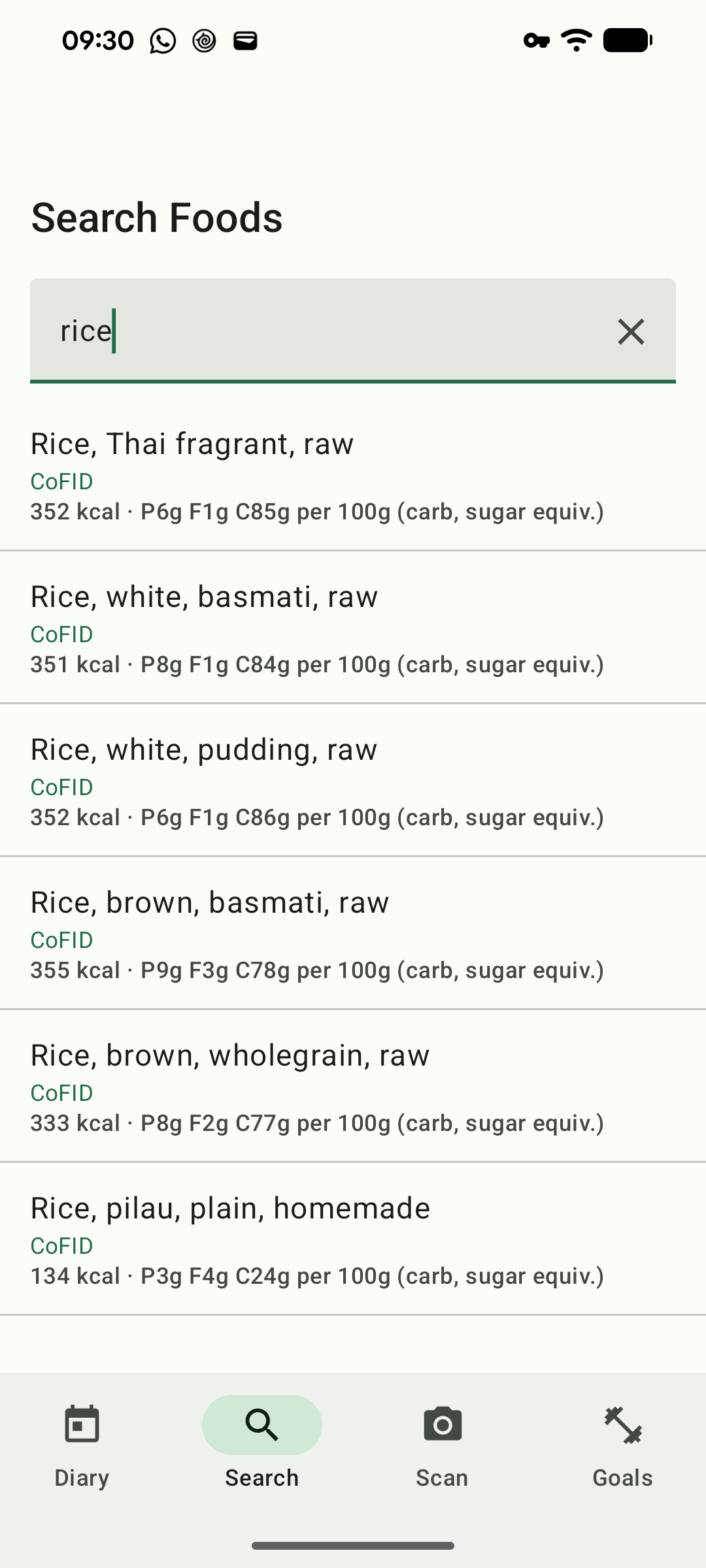
Most calorie apps get their numbers from their users. Type in "rice" and you'll find forty entries, all a little different, and no way of telling which one somebody copied off a bag and which one they made up. Macro Tracker gets its numbers from the national food tables that governments publish and dietitians use. There are fifteen of them in the app, and the one for your country comes first, in your language.
It's free, it works without a connection, and you never make an account.
Why it exists
I'm Norwegian, and I live on the Spanish coast, where a good few of the shops stock food for Scandinavians. My phone is in English, the labels are in Norwegian, Swedish or Spanish, and no calorie app I tried could make sense of that. So I built one that could. It started as a fix for my own odd problem. It's free, and it will stay free. And it ended up this thorough because I can't leave things alone.
The numbers
- 567,454foods, on the device
- 47,022from national food tables
- 15countries with their own table
The whole database ships inside the app, so search works on a plane, in a basement, or in a cabin with no signal.
Your country's food, first
Most countries keep a food composition table. Norway has Matvaretabellen, Spain has BEDCA, the US has USDA FoodData Central. They're the slow, careful work of food agencies, and they're what I wanted my own diary to run on.
The app picks your table from your phone's region the first time you open it, and you can switch in Settings. If your table is missing something ordinary, it fills the gap from another table in your language instead of showing you nothing. Every result tells you which table it came from.
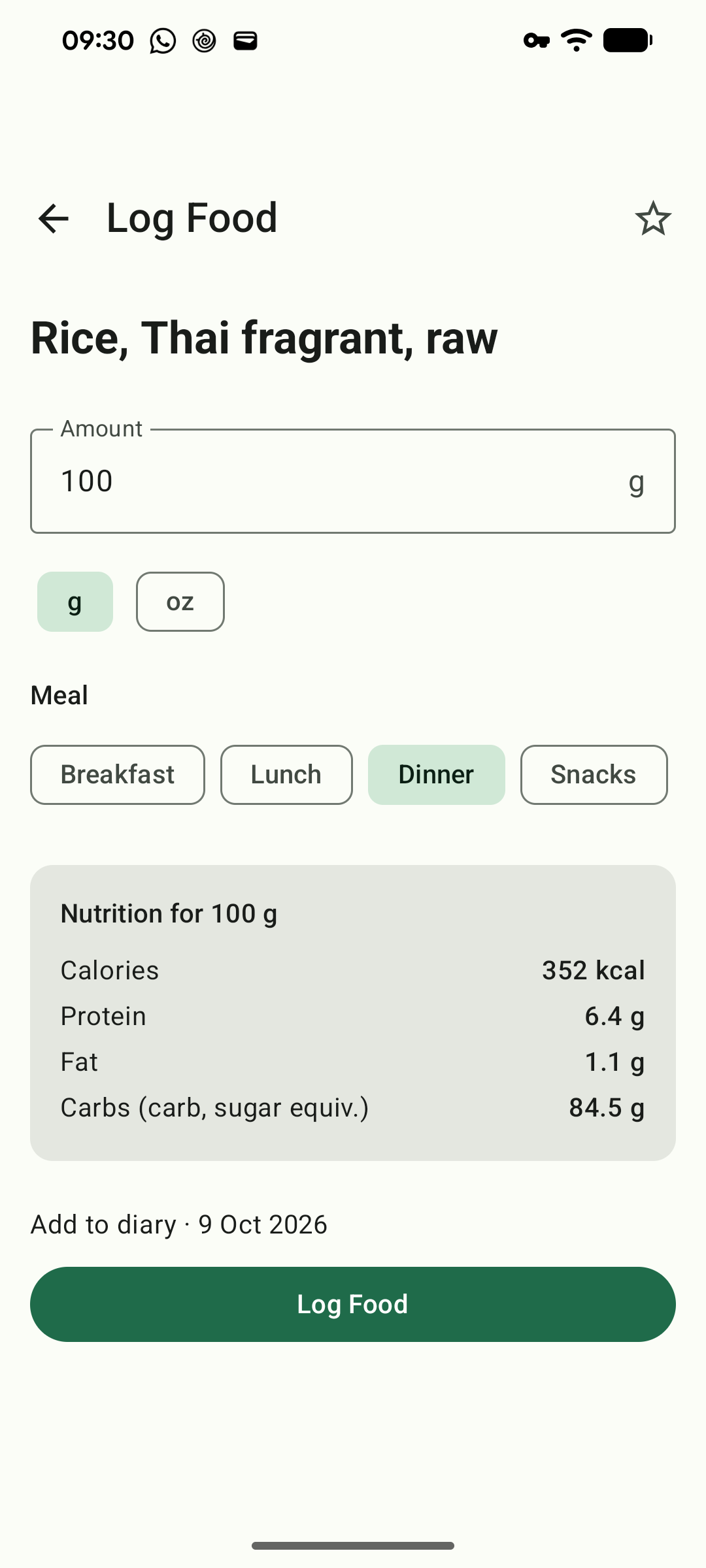
I don't touch the numbers. If a table doesn't list fibre for a food, the app shows it as unknown rather than pretending it's zero. It doesn't invent calories, and it doesn't guess how much a cup of something weighs.
- AustraliaAFCD
- CanadaCanadian Nutrient File
- DenmarkFrida
- FinlandFineli
- FranceANSES-Ciqual
- GermanyBLS
- NetherlandsNEVO
- New ZealandFOODfiles
- NorwayMatvaretabellen
- PortugalTCA
- SpainBEDCA
- SwedenLivsmedelsdatabasen
- SwitzerlandSwiss Food Composition Database
- United KingdomCoFID
- United StatesUSDA FoodData Central
The diary
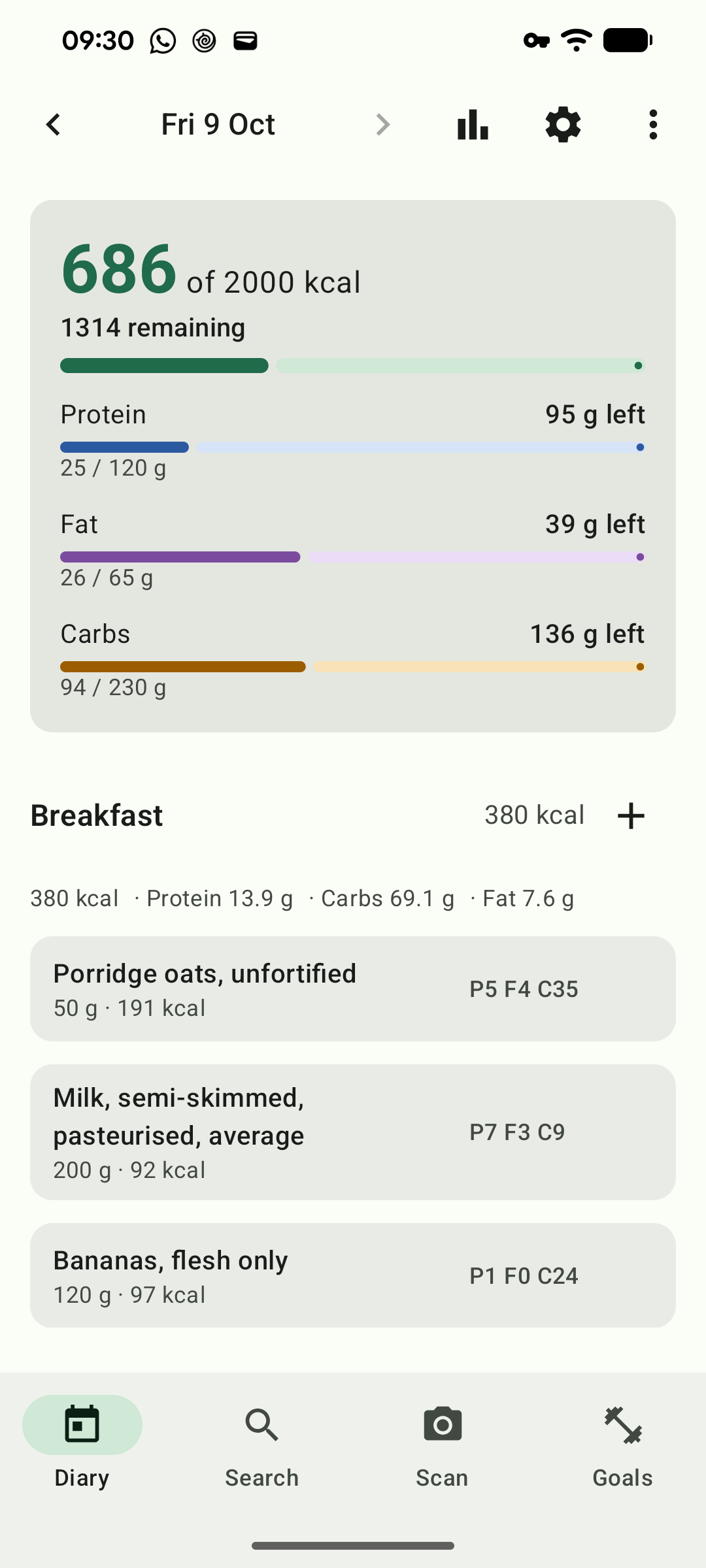
Every calorie app has a diary, and I won't pretend mine reinvents it. I just wanted it to be quick. The top of the screen tells you how much you have left for the day. Each meal has its own + button, so a snack goes straight into snacks. If you eat the same breakfast most days, you can copy yesterday's in one tap, and undo it if you change your mind. Swipe an entry away to delete it, or tap it to fix the amount.
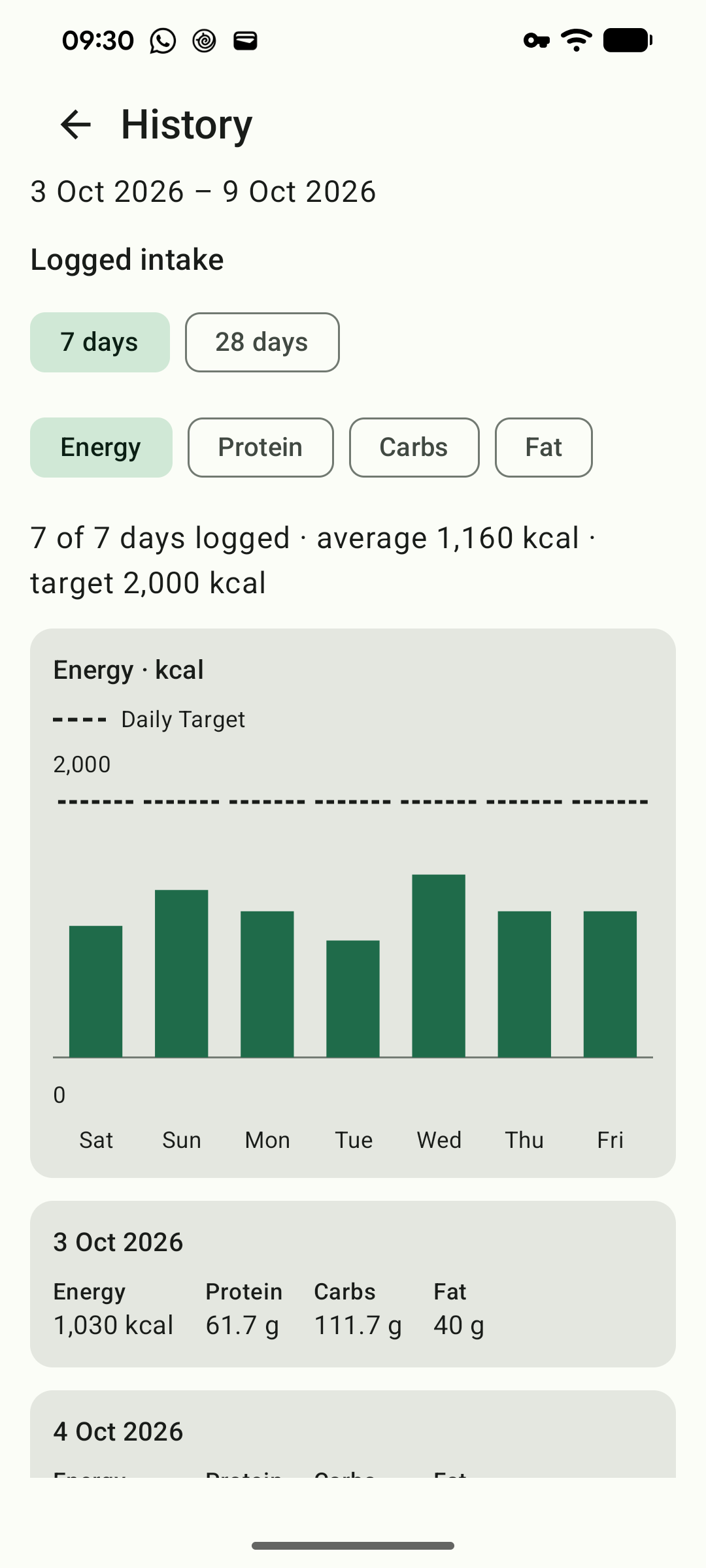
History shows the last week or four, with your targets drawn in and a sentence at the top telling you how it went.
Open Food Facts
Packaged food comes from Open Food Facts, the volunteer project that got me started on this. Half a million of their products ship inside the app, so scanning a barcode in the shop works even when the signal doesn't. If you scan something they don't have, you can type in the label and send it to them, so the next person finds it. That's off until you switch it on, and you approve every product before it goes.
Contains information from Open Food Facts, made available under the Open Database License (ODbL).
Accessibility
I've tested the app on my own phone with the text size turned all the way up, in light and dark, and with TalkBack on. The screens still fit, every button has a name, and nutrition is read out as "7 grams protein" rather than "P7g". Being over a target is written in words, not just shown in a colour. If you've turned animations off in Android, the app keeps still too. If something still doesn't work for you, email support@lethio.com and tell me.
Free
There's no paid version and there won't be one. No ads, no subscription. Your diary is stored on your phone and I never see it, and you can export it as a spreadsheet whenever you want. The source code is on GitHub, along with the Open Food Facts export I built for it.
Privacy policy
Last updated 11 October 2026
Your diary stays on your phone, and the barcode scanner works entirely on it. The only parts of the app that use the internet are two Open Food Facts features, online barcode lookup and product contribution, and both are off until you turn them on in Settings. Their data use is explained below.
Your diary
Everything you log is written to a database in the app's private storage. Android's cloud backup is switched off for this app, so your diary is not copied to Google Drive. On Android 12 and later, the app allows the diary database to transfer when you move to another phone using Android's device transfer. Settings and the food catalogue are excluded. Uninstalling deletes the diary stored on that phone.
What Google Play collects
We don't have an account system. Lethio operates one small server-side relay for product contributions, described below. Google Play also processes information when you install the app. Google records install counts, device models, Android versions and crash reports, and shows them to us as aggregated, anonymised figures. We use them to see whether the app is broken on a device we don't own. We can't connect any of it to you, and this happens for every app on Play whether or not it has any code of its own to do it.
Barcode scanning
The scanner reads barcodes from camera frames on your phone, using the open-source zxing-cpp library. It has no network code: no image, barcode or usage data leaves your phone when you scan. Versions before 1.1.0 used Google's ML Kit, which sent Google diagnostic data.
The barcode lookup
If you turn this on and tap the button that appears when a scan finds nothing locally, the app asks Open Food Facts about that single barcode. The request contains the barcode and a line identifying the app by name, version and our support address. It carries no identifier for you or your device. As with any request to any website, Open Food Facts can see the IP address it came from, and we have no way to prevent that.
Contributing a product
If you turn this on, and Open Food Facts has confirmed it doesn't have the barcode, an unticked checkbox appears on the Add product screen offering to publish it. Nothing is sent unless you tick that box before saving.
When you do, the app sends the barcode, product name, brand and four per-100g nutrition values you entered to a small relay operated by Lethio. The relay checks the request and passes it to Open Food Facts using the app's shared contributor account. It cannot access your diary, and nothing else from your phone is included.
The contribution passes through a small Lethio relay. While forwarding it, the relay receives your IP address, the product data and a pseudonymous installation identifier. It keeps none of them: there is no user or submission database, and contribution details are excluded from both access logs and application logs.
To prevent flooding without building a record of people or products, the relay keeps only a short-lived request count for each IP address in memory. Those counts disappear when the service restarts. Our hosting provider carries the connection, and Open Food Facts receives and stores the public contribution under its own policies. The relay's source code and server configuration are public on GitHub.
The installation identifier is derived from a random value created on your phone the first time you contribute. Only its salted hash is sent. It remains the same until you clear the app's data or uninstall it, allowing Open Food Facts moderators to distinguish one installation from the app's other contributors. It is never attached to barcode lookups or used for anything else.
Contributions become public Open Food Facts data and may remain in its history after later edits. Clearing the app's data does not remove a contribution already published. The app does not upload photographs.
The camera
The app uses the camera to read barcodes and does not store its frames. Camera permission is optional; you can search and log food without it.
Your country
On first launch the app reads the region set on your device, to preselect a sensible food table. Where your SIM card reports a different country, the app asks you to choose rather than guessing. Both values are read on the device, need no permission, and are not sent anywhere. You can change the choice at any time in Settings.
Exporting
Exporting writes a CSV file and hands it to whichever app you choose to send it to. From that point what happens to the file is up to you and to that app.
Children
The app is intended for adults.
Changes
Changes to the app's data use will be described here, with the date of the revision.